Nafath is the national digital identity platform of Saudi Arabia. It allows citizens and residents to verify their identity and access government and private sector services online without having to visit service centers repeatedly.
This guide explains how to register in Nafath and activate your account in Saudi Arabia, including the registration requirements, identity verification process, and common login problems. It also covers Nafath activation for Iqama holders, mobile number updates, new device activation, and troubleshooting tips.
To get started, you need an active Absher account and access to your registered mobile number. The activation process usually takes around 5–10 minutes, depending on identity verification.
Key Takeaways
- check_circleNafath registration: Saudi citizens and eligible residents can register using their National ID or Iqama and existing Absher credentials.
- check_circleActivation requirements: You need an active Absher account, access to your registered mobile number, a compatible smartphone and a stable internet connection.
- check_circleActivation process: Download the official Nafath app, verify your identity using an OTP, create a six-digit PIN and complete the required biometric verification.
- check_circleIqama holders: Eligible expatriates can activate Nafath using their Iqama number and Absher account.
- check_circleAbsher and Nafath: Absher provides your digital identity, while Nafath handles digital authentication and identity verification.
- check_circleNew phone or mobile number: Follow the official device-linking or mobile number update process to maintain access to Nafath.
- check_circleLogin problems: Check your Absher credentials, registered mobile number, internet connection and app version if Nafath is not working.
- check_circleNafath support: Contact the official support team at 800 122 1111 or Support@nic.gov.sa for unresolved issues.
- check_circleSecurity: Never share your Nafath PIN or OTP, and only approve authentication requests that you initiated.
What Is Nafath And Why Should You Need It?
Nafath is a digital identity and authentication platform, developed by the Saudi National Identity Management Center (NIC). It allows citizens and residents to verify their identities securely when they use supported government and private-sector services.
For example, you can use Nafath to:
- check_circleLog in to supported government platforms, including Absher, Qiwa, Muqeem and Tawakkalna.
- check_circleApprove digital identity authentication requests.
- check_circleVerify your identity when accessing participating banks and private-sector services.
- check_circleComplete biometric verification through facial recognition.
- check_circleAccess supported online services without repeatedly entering your identity credentials.
Nafath helps to reduce the need to remember different login credentials for each platform that it supports.
Requirements Before Nafath Activation
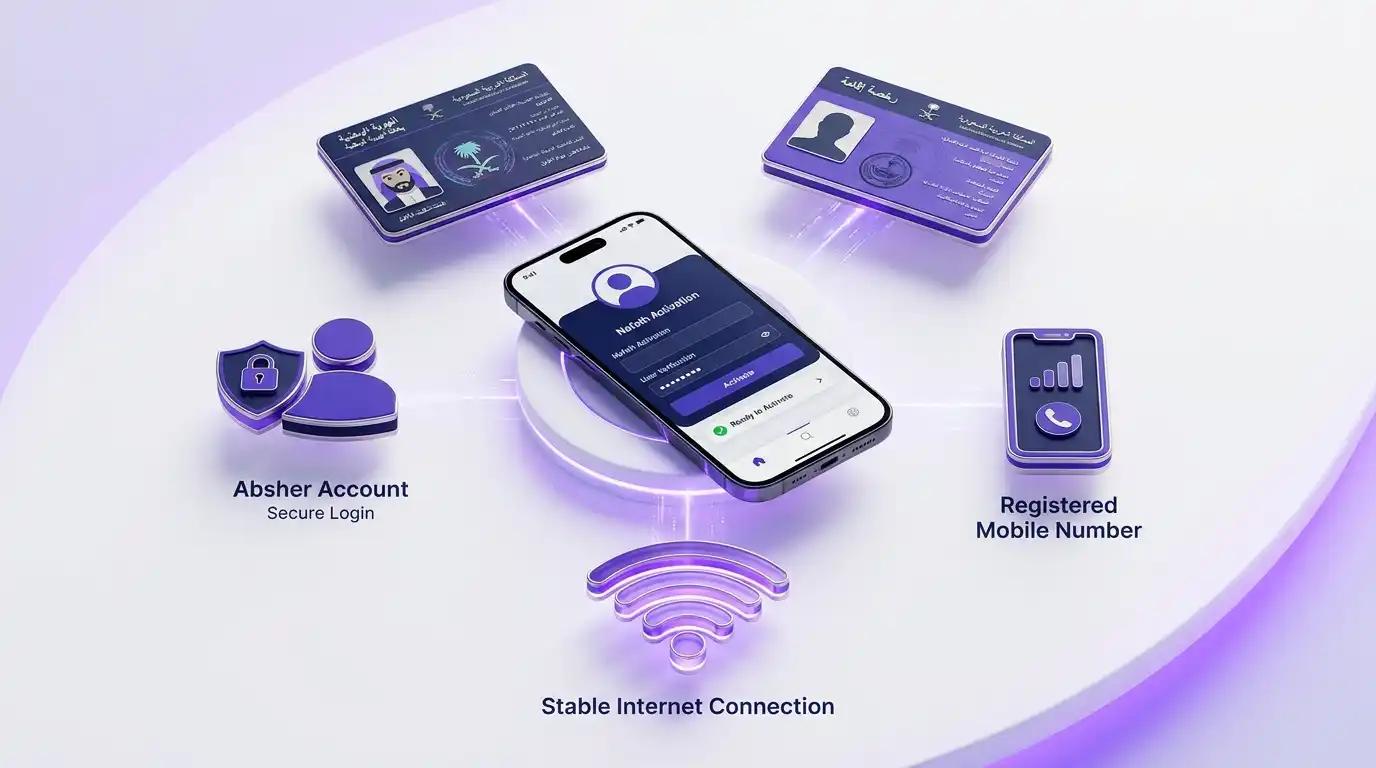
Before activating Nafath, you need five things: a valid National ID or Iqama, an active Absher account, access to your registered mobile number, a compatible Android or iPhone, and a stable internet connection.
- National ID or Iqama: You need your valid Saudi National ID or resident identity number.
- Absher account: Your digital identity credentials must be active and you must know your Absher username or ID and password.
- Registered mobile number: You must be able to access the mobile number that is registered to your Absher account to receive verification messages.
- Smartphone: Use a compatible Android or iPhone device.
- Internet connection: A stable connection is important to avoid interruptions during registration and facial verification.
If you are an expatriate, make sure your Iqama details are correct and your mobile number is tied to your digital identity.
Nafath App Download: How to Download the Nafath App
First, install the official Nafath application on your mobile phone.
Follow these instructions:
- Android users: Open the Google PlayStore.
- iPhone users: Open the Apple AppStore.
- Search for Nafath (نفاذ).
- Check that the publisher is National Information Center.
- Download and install it.
- Open the application and allow the necessary permissions.
You can also visit the official website of Nafath to get options to download the app.
Important: Download Nafath from official app stores or the official website only. Avoid downloading third-party APK files or unofficial download links.
How To Activate Your Nafath Account: Step-by-Step
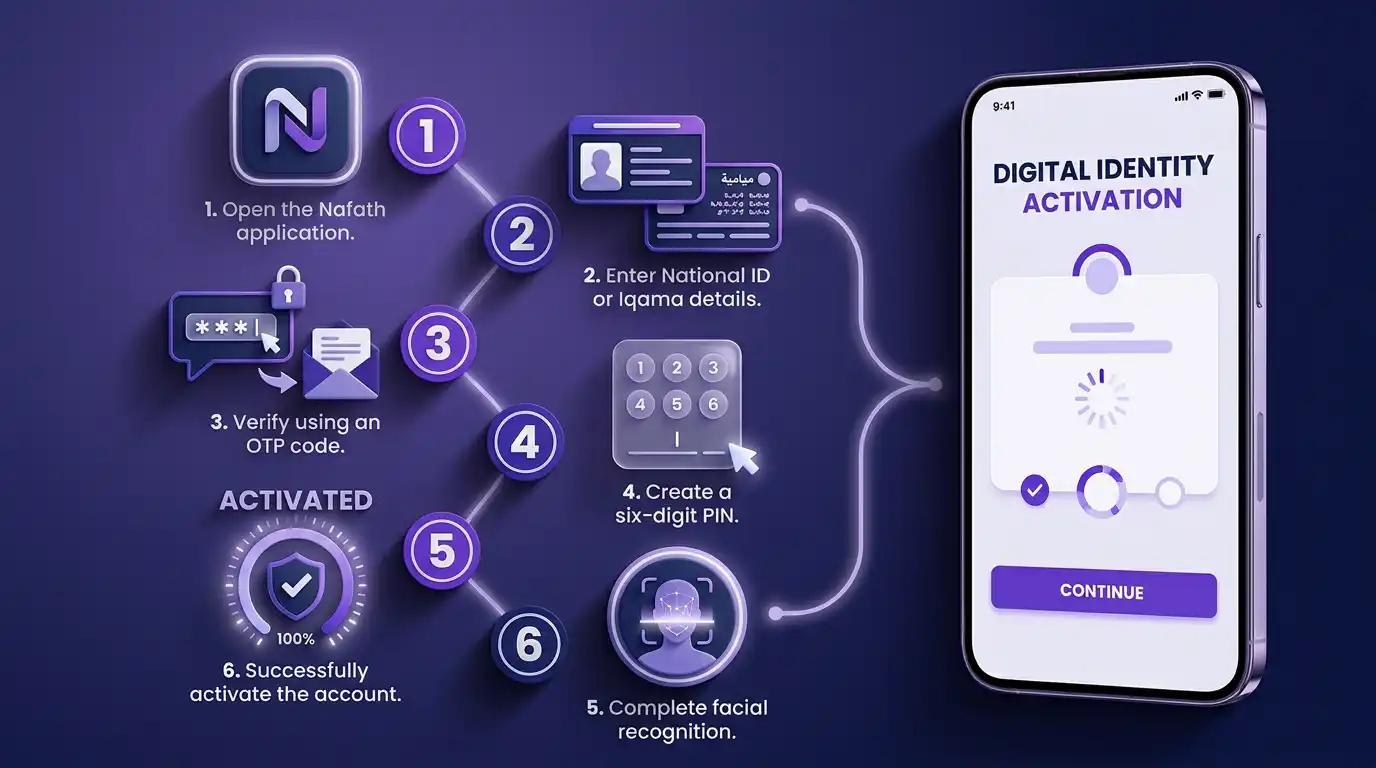
After downloading the official Nafath app and preparing your information, follow these steps to activate your Nafath account.
Step 1: Open the Nafath app
Launch the Nafath application on your smartphone and tap Login or Activate, depending on the option displayed.
Step 2: Enter your ID and Absher password
Enter your Saudi National ID or Iqama number and the required Absher login credentials.
Step 3: Verify your mobile number
Enter the OTP sent to your mobile number registered with Absher when prompted.
Step 4: Create your six-digit PIN
Follow the instructions to create and confirm your six-digit PIN. Keep it secure because you may need it to approve future authentication requests.
Step 5: Complete face verification
Follow the on-screen facial verification instructions to confirm your identity.
Step 6: Complete activation
Follow any remaining instructions in the app. Once activation is successful, the app will display a confirmation that your device has been linked to your digital identity.
Important: The exact screens may change when the application is updated. Follow the latest instructions displayed in the official app.
Nafath for Iqama Holders: How to Register Your Account
Yes, Iqama holders can register and activate Nafath using the same process as Saudi citizens. You need a valid Iqama, an active Absher account, and access to your registered mobile number.
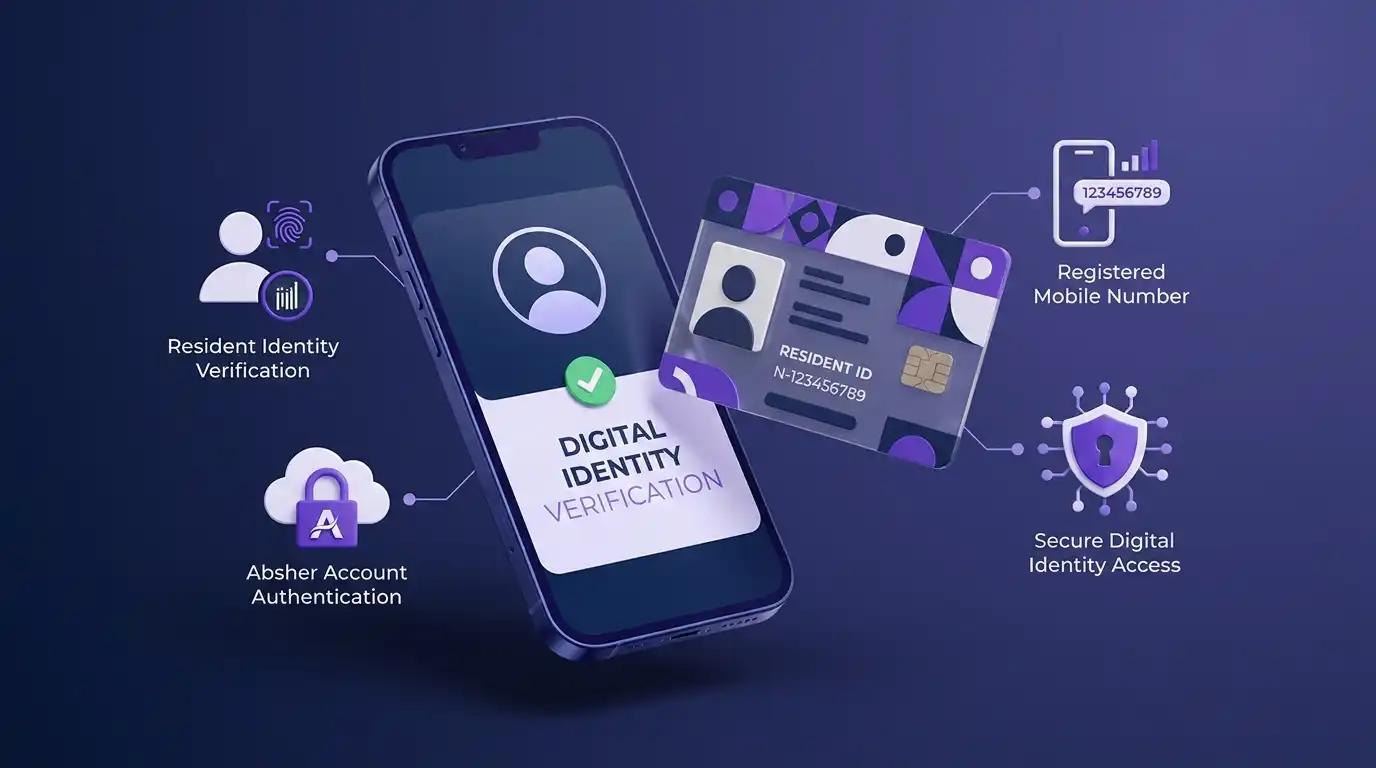
If you are an Iqama holder, do the following steps:
- Make sure your Iqama information is valid and correctly registered.
- Ensure that you have an active Absher account.
- Confirm that your mobile number is registered with your digital identity.
- Download the official Nafath app.
- Enter your Iqama number and Absher password when asked.
- Complete the OTP and identity verification steps.
- Set your 6 digit PIN and complete the activation process.
Do I need a separate Nafath registration as an Iqama holder?
No. Nafath uses your existing Absher digital identity, so you do not need to create a separate account. If you don't have an Absher account, register first through the official Absher website before activating Nafath.
How to Activate Your Absher Digital Identity Through Nafath
Your Absher digital identity and Nafath app are linked but separate. Absher provides your digital identity, while Nafath allows you to activate and manage it and approve identity verification requests.
You can activate your Absher digital identity directly through the Nafath app by following these steps:
The general process is:
- Open the Nafath app and tap Settings.
- Under Absher Self-service Services, select Activate Your National Digital Identity (Absher).
- Enter your National ID or Iqama number and Absher password.
- Enter the OTP sent to your registered mobile number.
- Answer the additional identity verification question.
- Follow the instructions to complete fingerprint verification using your phone's rear camera.
- Wait for the confirmation message stating that your Absher account has been successfully activated.
After successful verification, your Absher digital identity will be activated. The official guide advises checking again after 10 minutes.
Official guide: Nafath User Manual – Digital IdentityActivation.
Nafath Not Working? Common Problems and Their Solutions
Most Nafath errors are caused by incorrect Absher credentials, an unregistered or outdated mobile number, failed face verification, an outdated app, or an existing device still linked to your account. The following table explains common problems and how to fix them.
| Problem | Possible reason | What to do |
|---|---|---|
| Nafath verification code not received | Incorrect registered number or network delay | Check your registered mobile number and network connection |
| Incorrect ID or password | Wrong credentials or inactive digital identity | Verify your details and check your Absher account |
| Facial verification failed | Poor lighting or camera issues | Improve lighting, clean your camera and follow the instructions |
| Nafath app not working | Outdated app or temporary service issue | Update the app and try again later |
| Nafath login problem | Incorrect credentials or device-related issue | Recheck your details and follow the app's recovery instructions |
| Unable to activate on a new phone | Existing device may still be linked | Sign out from the previous device before activating the new one |

What to Do If You Do Not Receive the Nafath Verification Code
If your Nafath verification code doesn't arrive, check your mobile signal, confirm your registered number, check your SMS blocking settings, wait 1–2 minutes, and request a new code.
If you recently changed your phone number, update it through the official Absher platform or an authorized Absher self-service kiosk before requesting another OTP.
If the code still doesn't arrive, contact Nafath support for assistance.
Never share your OTP or PIN with anyone, even if he/she claims to be from a Government department.
What If Nafath Is Still Not Working?
If you still see an error in the app, update the app to the latest version and check your internet connection. You can also try restarting your phone.
If the issue remains, contact Nafath support through its official channels:
- check_circlePhone: 800 122 1111
- check_circleEmail: Support@nic.gov.sa
- check_circleX: @NIC_Care
You can also visit the official Nafath website for support information.
Conclusion
To activate Nafath, install the official app, sign in with your National ID or Iqama and Absher details, verify the OTP, set a six-digit PIN and complete face verification. Never share your OTP or PIN.